📱 A guided tour

See Yaar Khata in action

Forty-two real screens — from one-tap sign-in and splitting a dinner to balances, rotating titles, milestone badges and the recycle bin. Tap any screen to zoom in.

Getting started

Your khata, set up in seconds

Sign in, make it yours, and gather all your groups on one home screen.
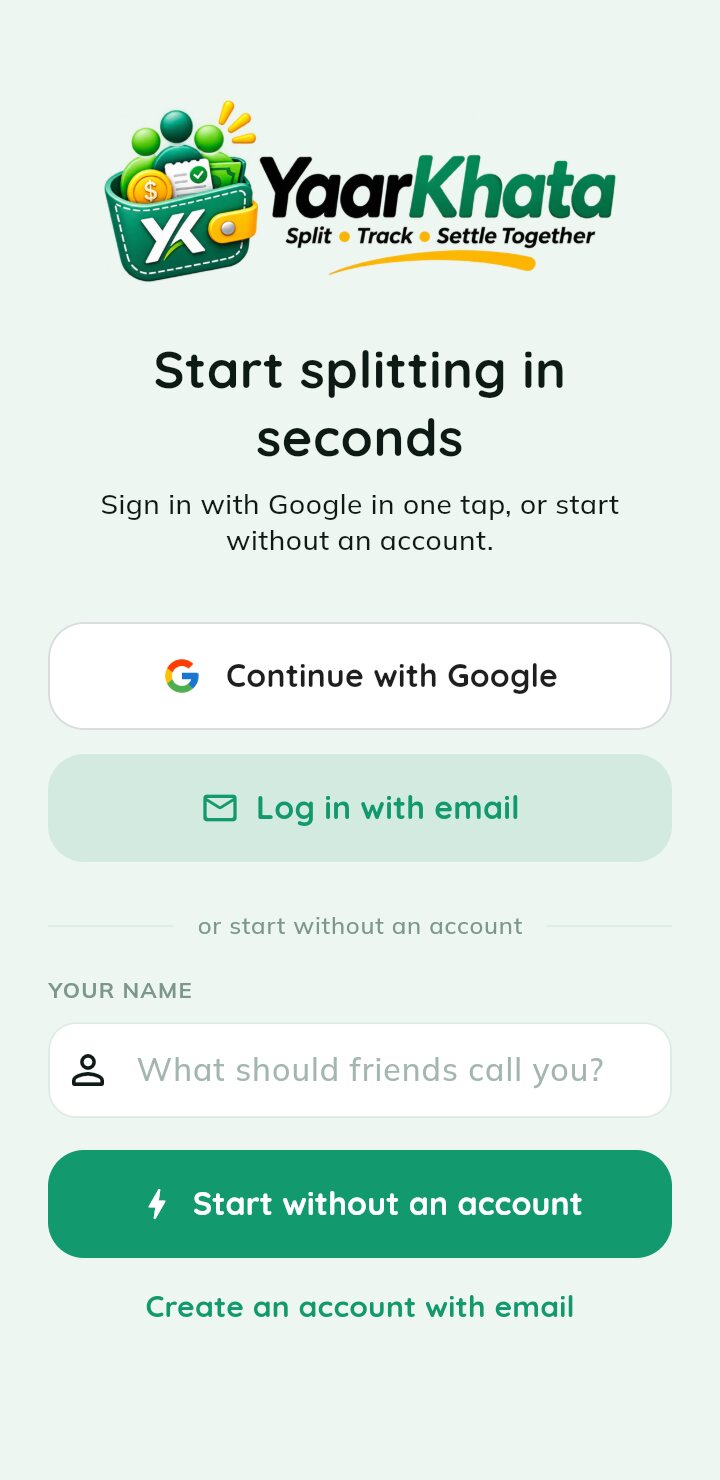
Welcome — Continue with Google in one tap, log in with email, or start without an account.
Welcome
Continue with Google in one tap, log in with email, or start without an account.
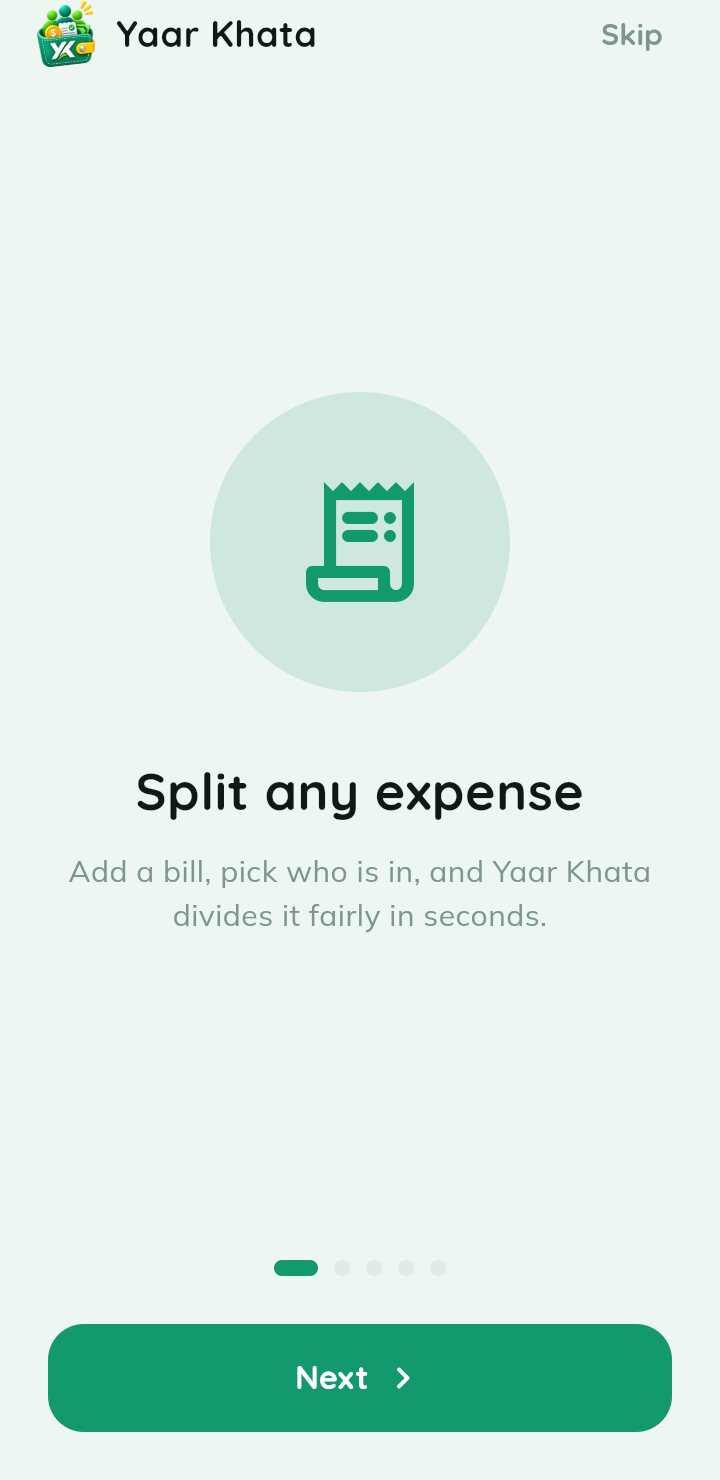
Quick tour — A short intro on first launch, then straight to your groups.
Quick tour
A short intro on first launch, then straight to your groups.
Edit your profile — Set your name, avatar colour, phone and address in a tap.
Edit your profile
Set your name, avatar colour, phone and address in a tap.
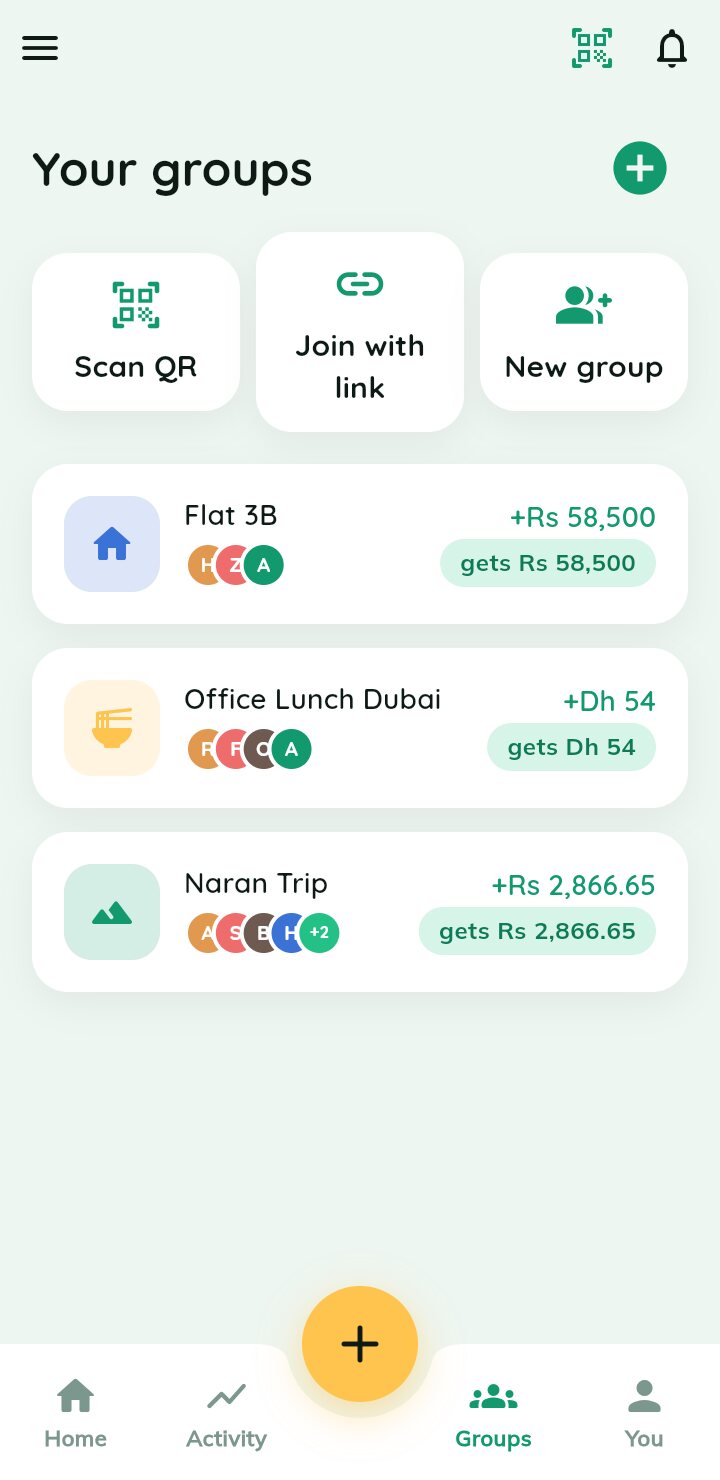
Your groups — Every trip, flat and event in one list — scan a QR or join with a link right from here.
Your groups
Every trip, flat and event in one list — scan a QR or join with a link right from here.
New · Titles & badges

Who's the Sultan of your group?

Every member earns a title from how the group really spends — and titles rotate, so the crown can change hands. Badges mark the milestones and stay on each profile for good.

👑 Call Me Papa 💎 Sultan 🤏 Kanjoos 🏦 Udhaar King 💸 Barbaad ☕ Chai Pani ⏰ Time ka Paband 📒 Munshi
  • A live title race shows who holds each title and who is close behind
  • Titles rotate on every transaction, daily, every 5, 7 or 10 days, or monthly
  • Rename any title, pick its emoji, or switch it off for your group
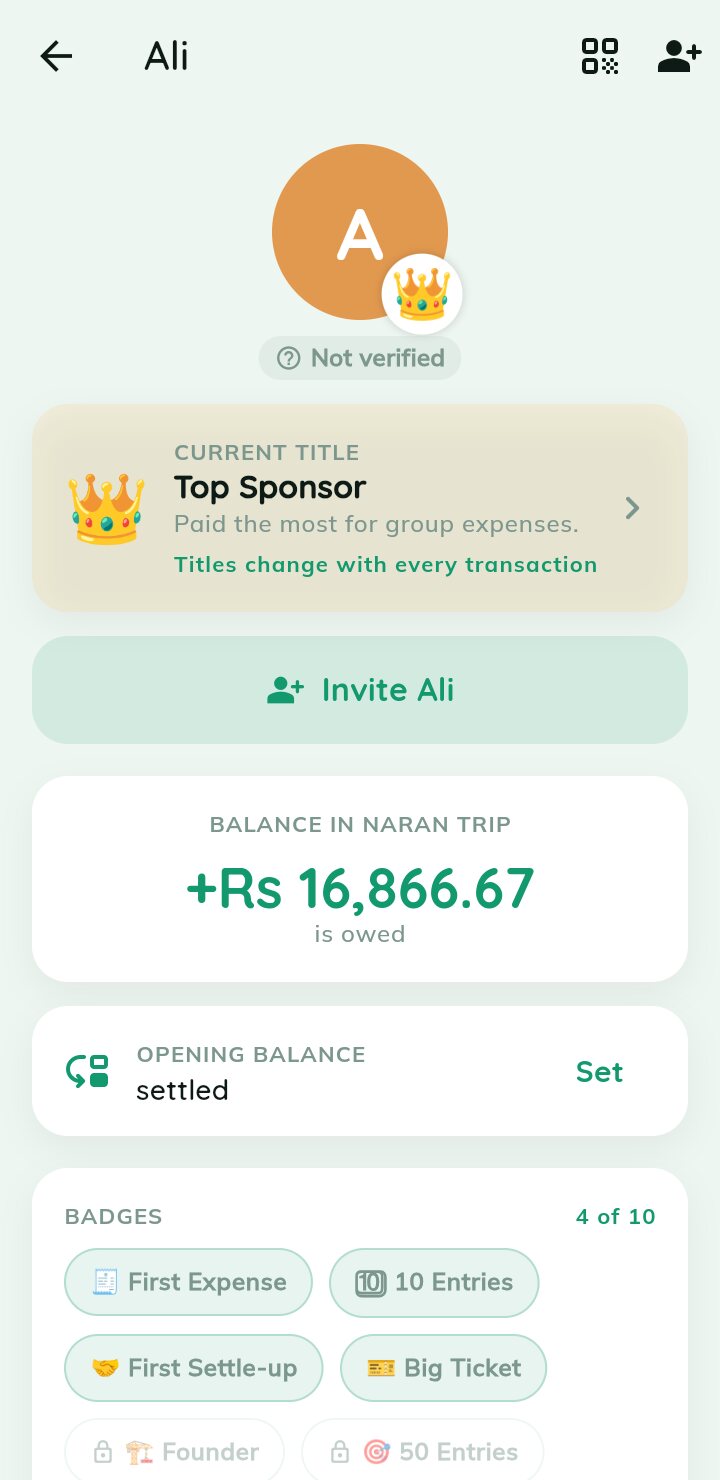
  • Milestone badges — First Expense, Big Ticket, Century, On a Roll and more

Title packs: 🇵🇰 Pakistan · 🇮🇳 India · 🌍 International — works offline, and titles show on shared links too.
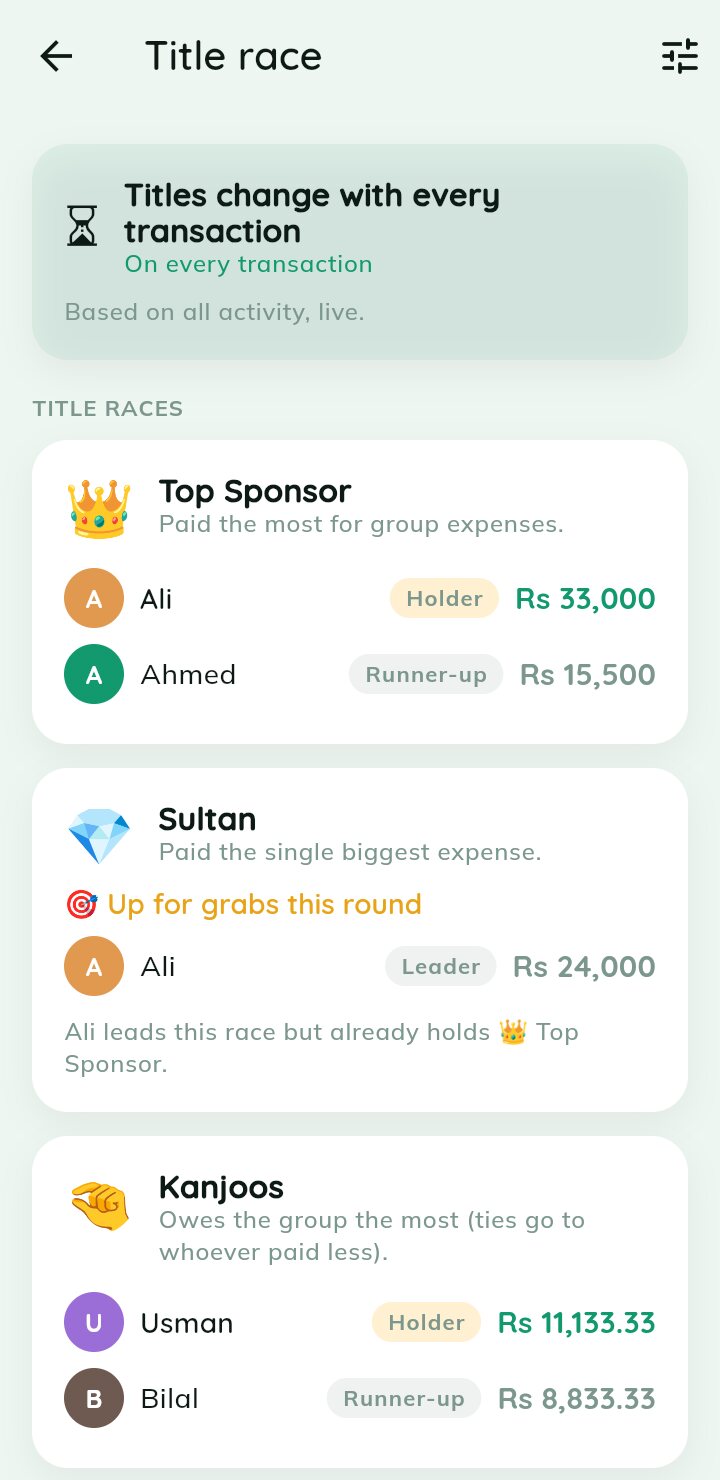
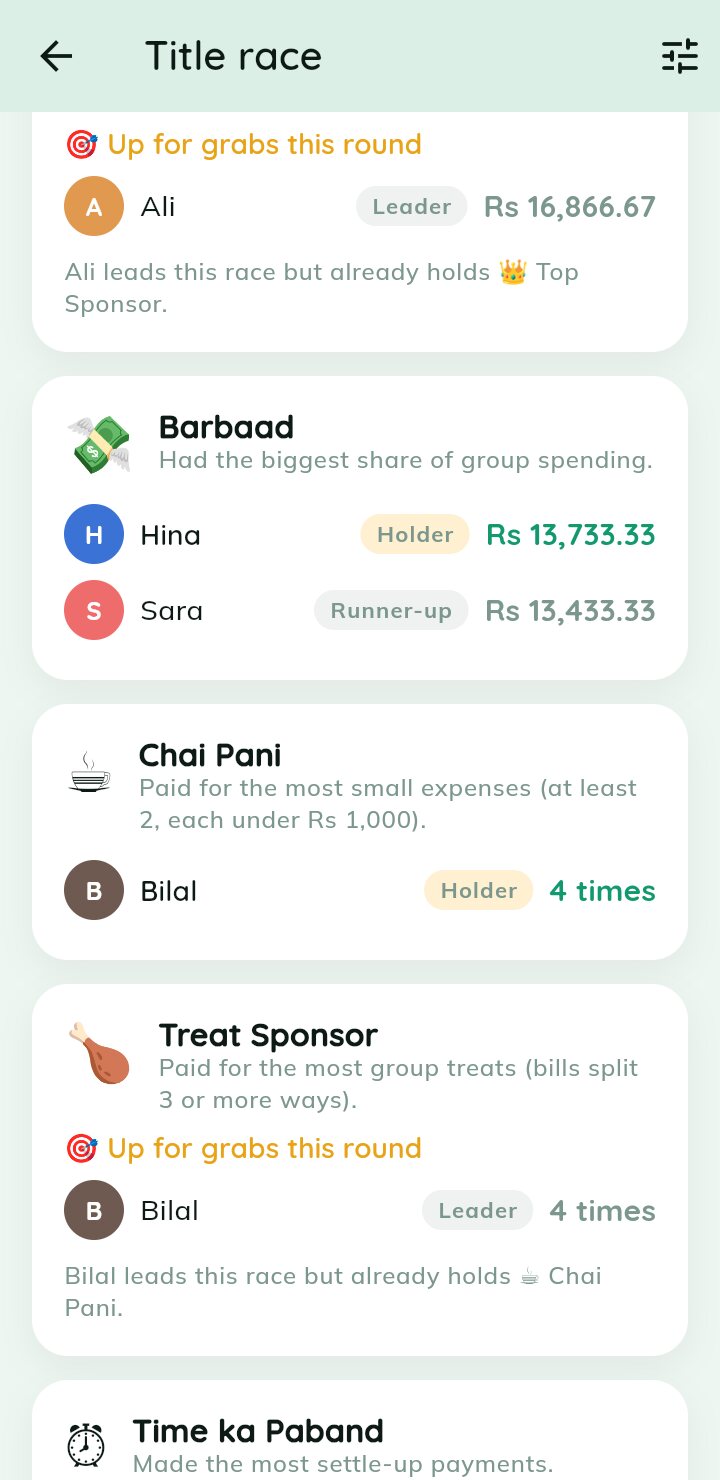
Title race — Who holds each title right now, who is close behind, and what is up for grabs.
Title race
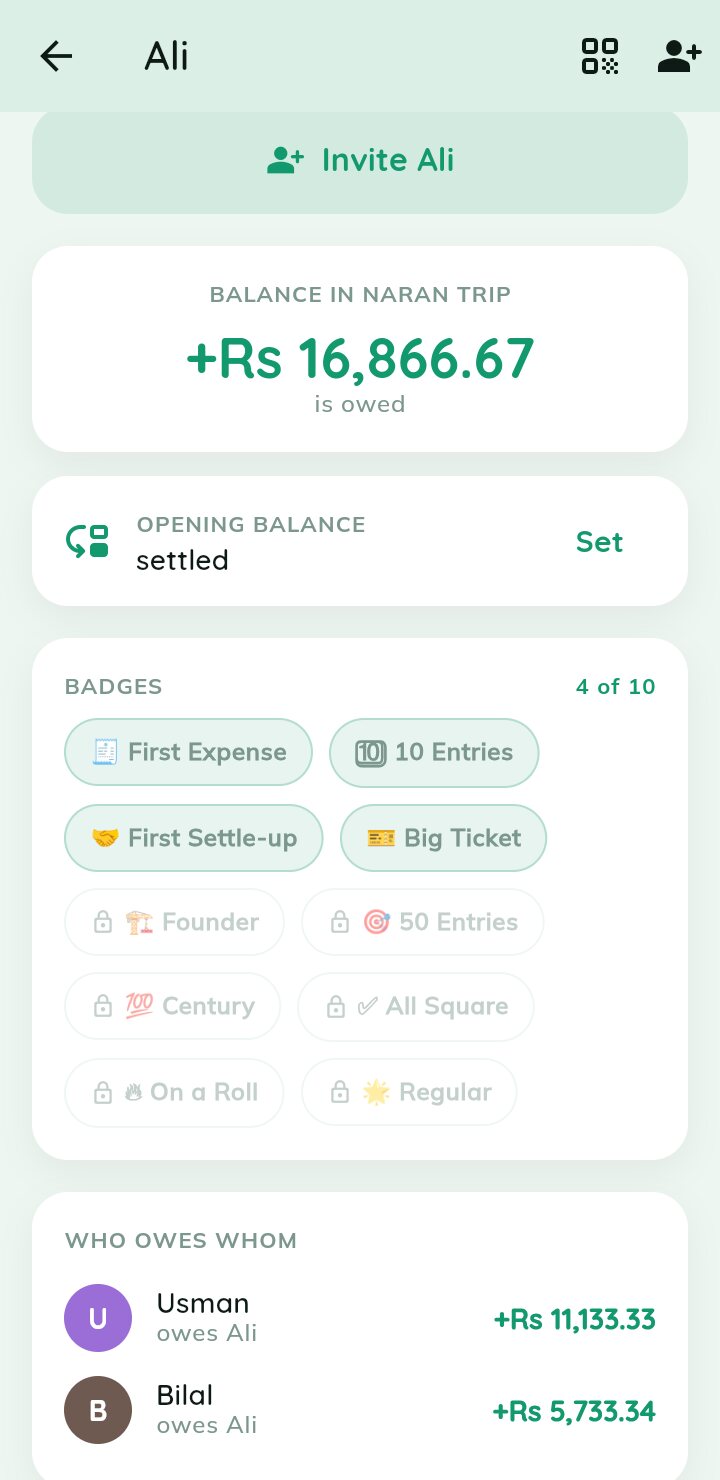
Member profile — Each member's current title up top, with the badges they have unlocked.
Member profile
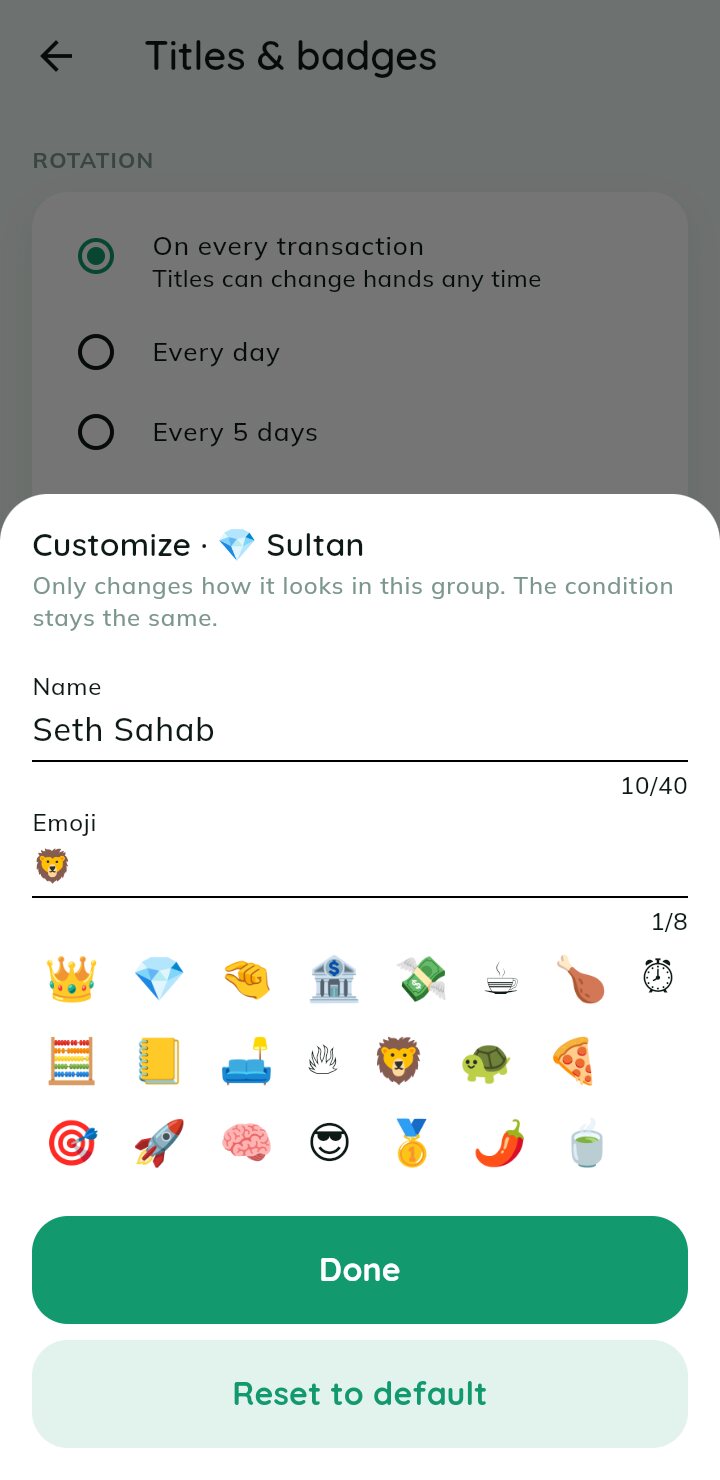
Make it yours — Rename any title and pick its emoji. It only changes how it looks in this group.
Make it yours
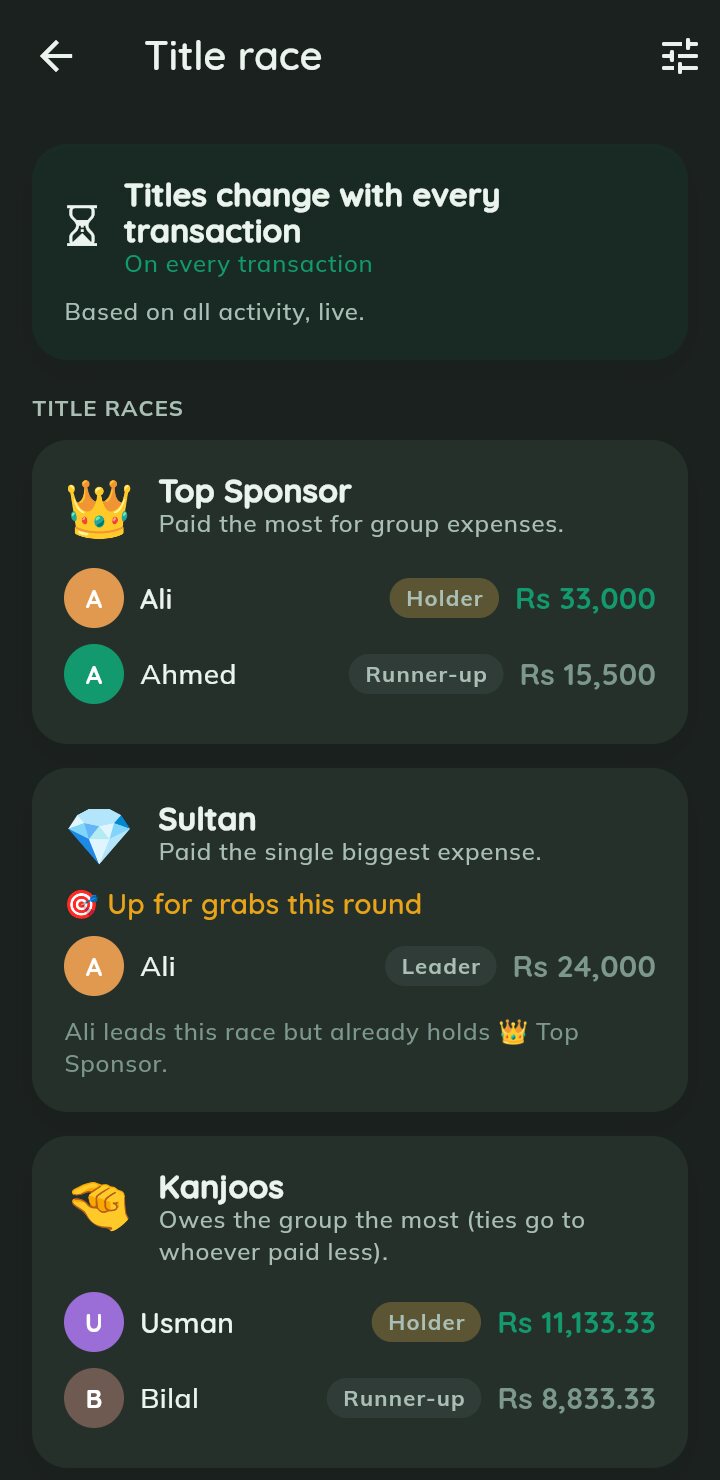
Title race · dark — The same race in dark mode.
Title race · dark
The same race in dark mode.
Every title — Barbaad, Chai Pani, Treat Sponsor, Time ka Paband and more — each with its own race.
Every title
Barbaad, Chai Pani, Treat Sponsor, Time ka Paband and more — each with its own race.
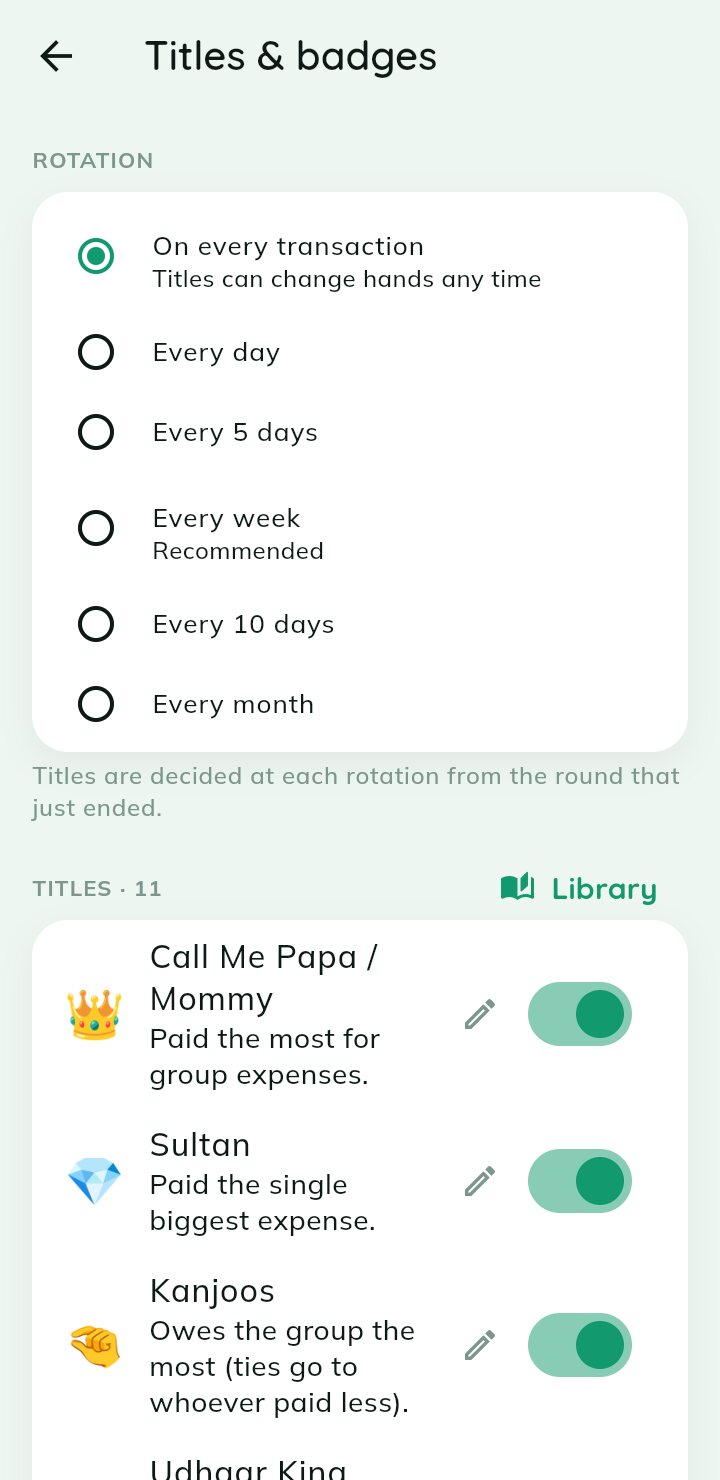
Rotation & titles — Titles change on every transaction, daily, every 5, 7 or 10 days, or monthly. Switch any off.
Rotation & titles
Titles change on every transaction, daily, every 5, 7 or 10 days, or monthly. Switch any off.
Milestone badges — First Expense, 10 Entries, First Settle-up, Big Ticket — unlocked badges stay for good.
Milestone badges
First Expense, 10 Entries, First Settle-up, Big Ticket — unlocked badges stay for good.
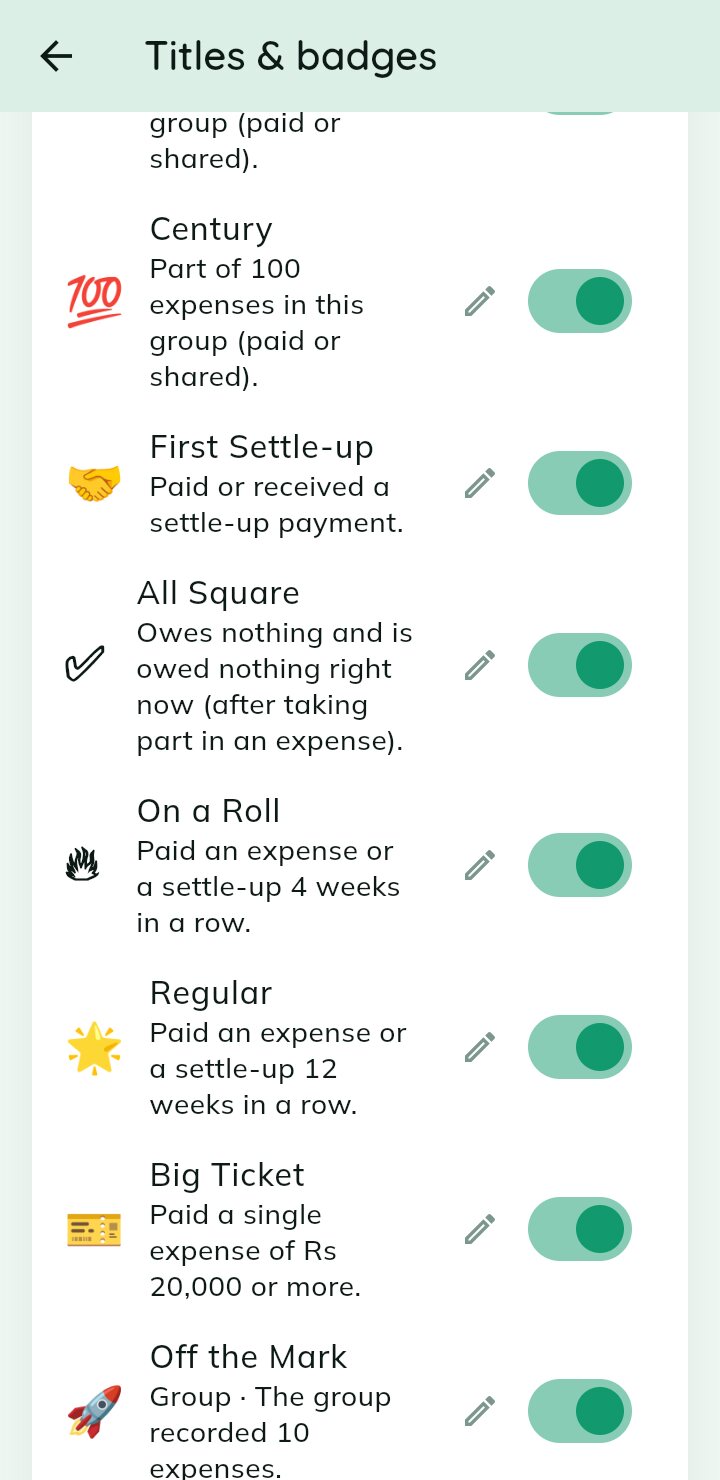
Badge settings — Century, All Square, On a Roll, Regular, 100 Club and more. Turn on the ones you like.
Badge settings
Century, All Square, On a Roll, Regular, 100 Club and more. Turn on the ones you like.
Groups & expenses

Log every rupee the moment it is spent

Open a group, add an expense, income or transfer, and let the app remember it all.
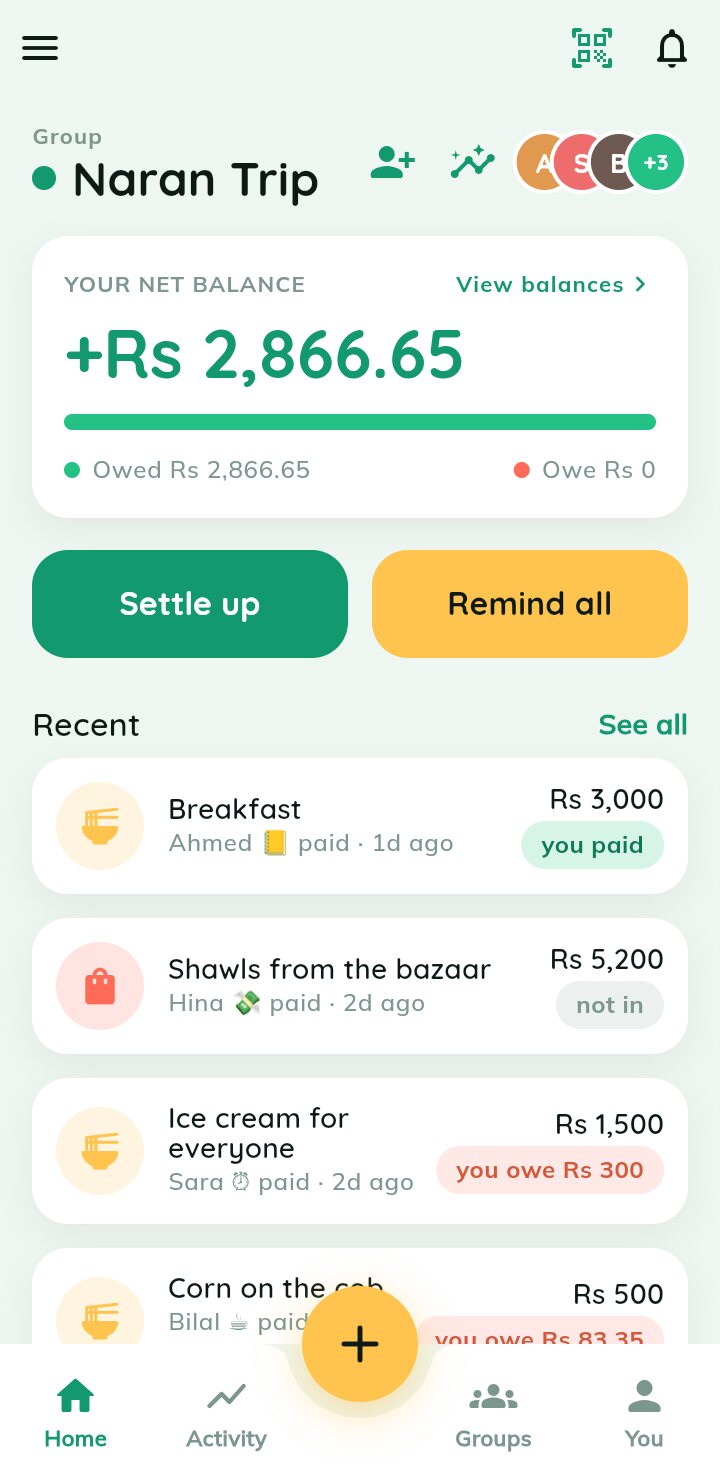
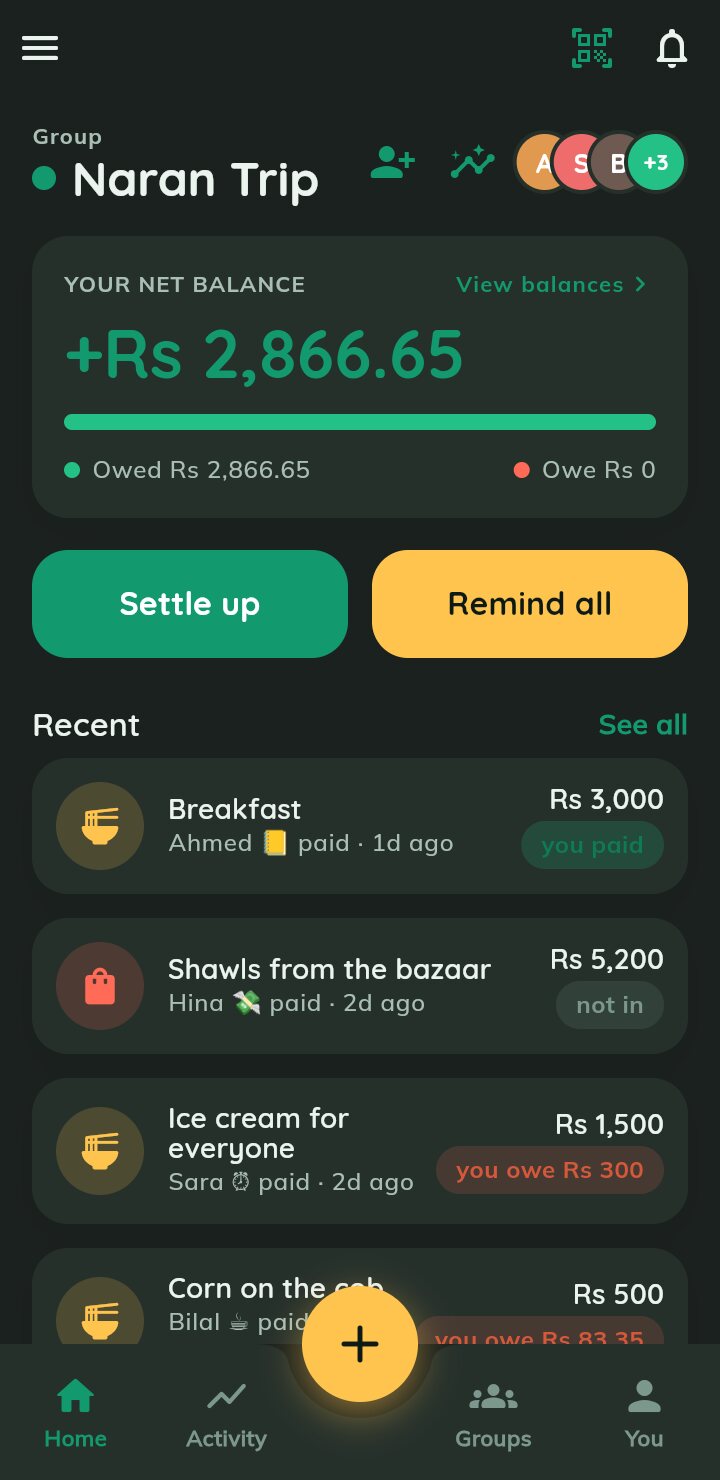
Group dashboard — Your net balance, Settle up / Remind all, and recent expenses with each payer's title.
Group dashboard
Your net balance, Settle up / Remind all, and recent expenses with each payer's title.
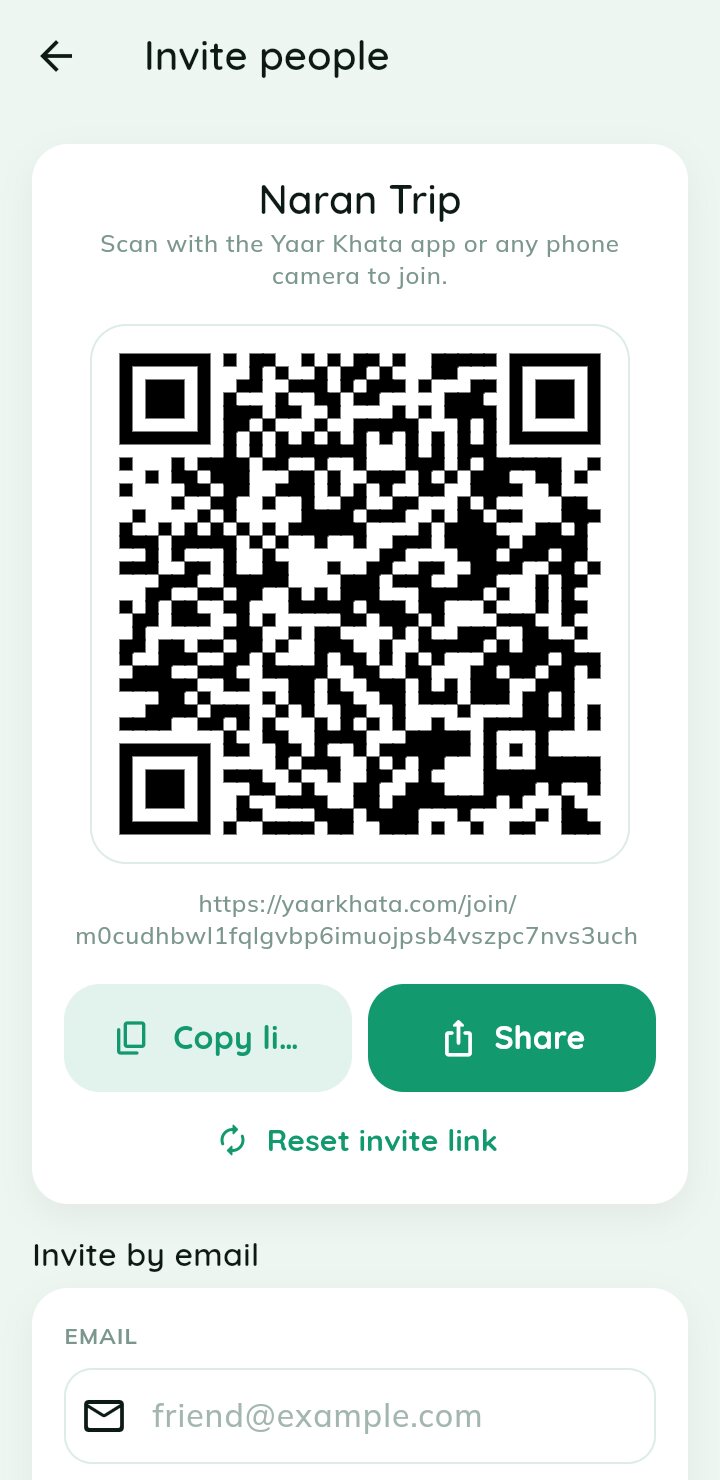
Invite with QR — Friends scan the code with the app or any phone camera to join the group.
Invite with QR
Friends scan the code with the app or any phone camera to join the group.
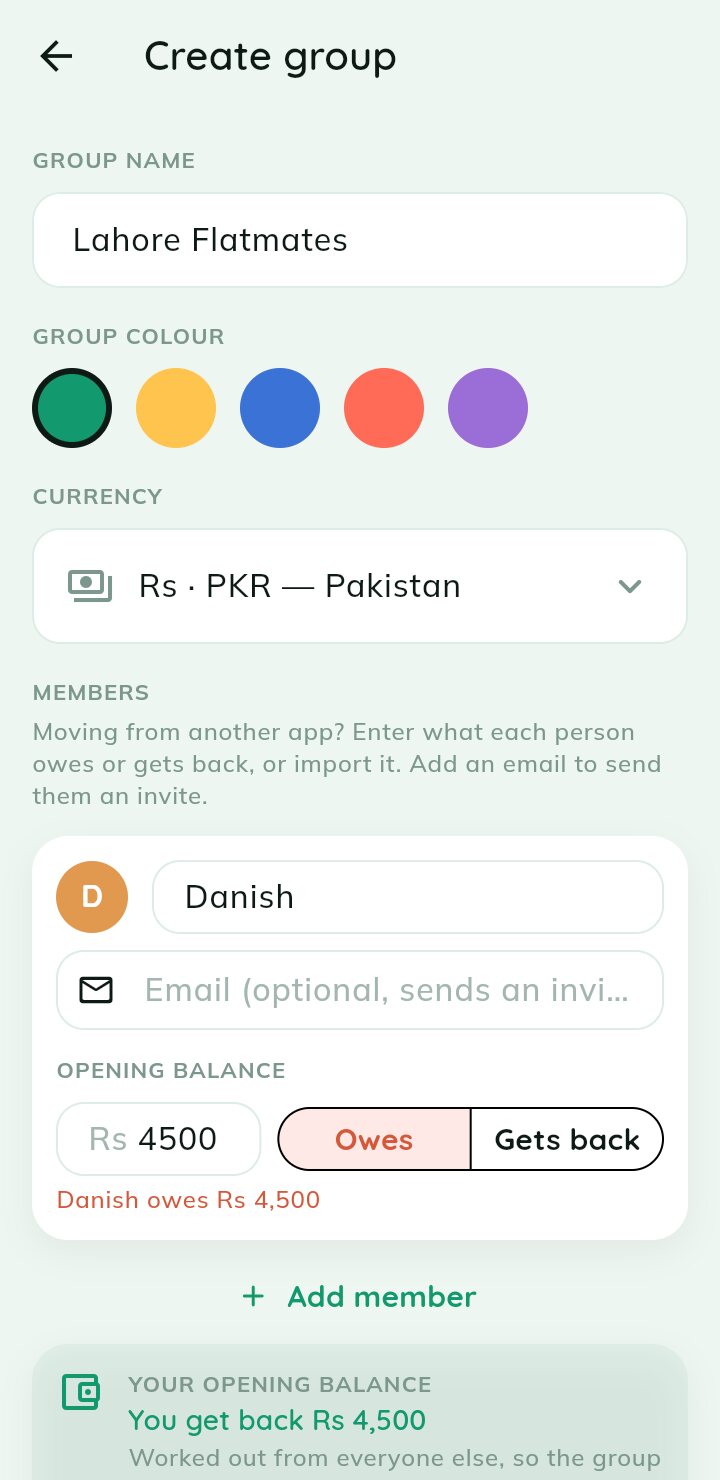
Opening balances — Moving from another app? Enter who owes and who gets back as you create the group.
Opening balances
Moving from another app? Enter who owes and who gets back as you create the group.
Add anything — Record an expense, an expense from a bill, income or a member-to-member transfer.
Add anything
Record an expense, an expense from a bill, income or a member-to-member transfer.
Enter the amount — A fast built-in calculator keypad — who paid and how many ways to split.
Enter the amount
A fast built-in calculator keypad — who paid and how many ways to split.
Add an expense — Name it, pick a category, attach a receipt and choose how to split.
Add an expense
Name it, pick a category, attach a receipt and choose how to split.
Recurring expenses — Set rent or subscriptions to repeat daily, weekly, monthly or yearly.
Recurring expenses
Set rent or subscriptions to repeat daily, weekly, monthly or yearly.
Manage categories — Use built-in categories like Food and Fuel, or add your own.
Manage categories
Use built-in categories like Food and Fuel, or add your own.
Activity feed — A running log of who paid, who settled and what changed across your groups.
Activity feed
A running log of who paid, who settled and what changed across your groups.
Splitting

Split it however the bill actually landed

Equally, by exact amounts, or by weighted shares — the maths is done for you.

Split equally — Tick who was involved and everyone gets an even share, instantly.
Split equally
Tick who was involved and everyone gets an even share, instantly.
Split by amount — Type exactly what each person owes, with a live "left to assign" total.
Split by amount
Type exactly what each person owes, with a live "left to assign" total.
Balances & settling up

See who owes whom, then clear it fairly

Clear balances per group and per member, ready for the fewest-payment settle up.
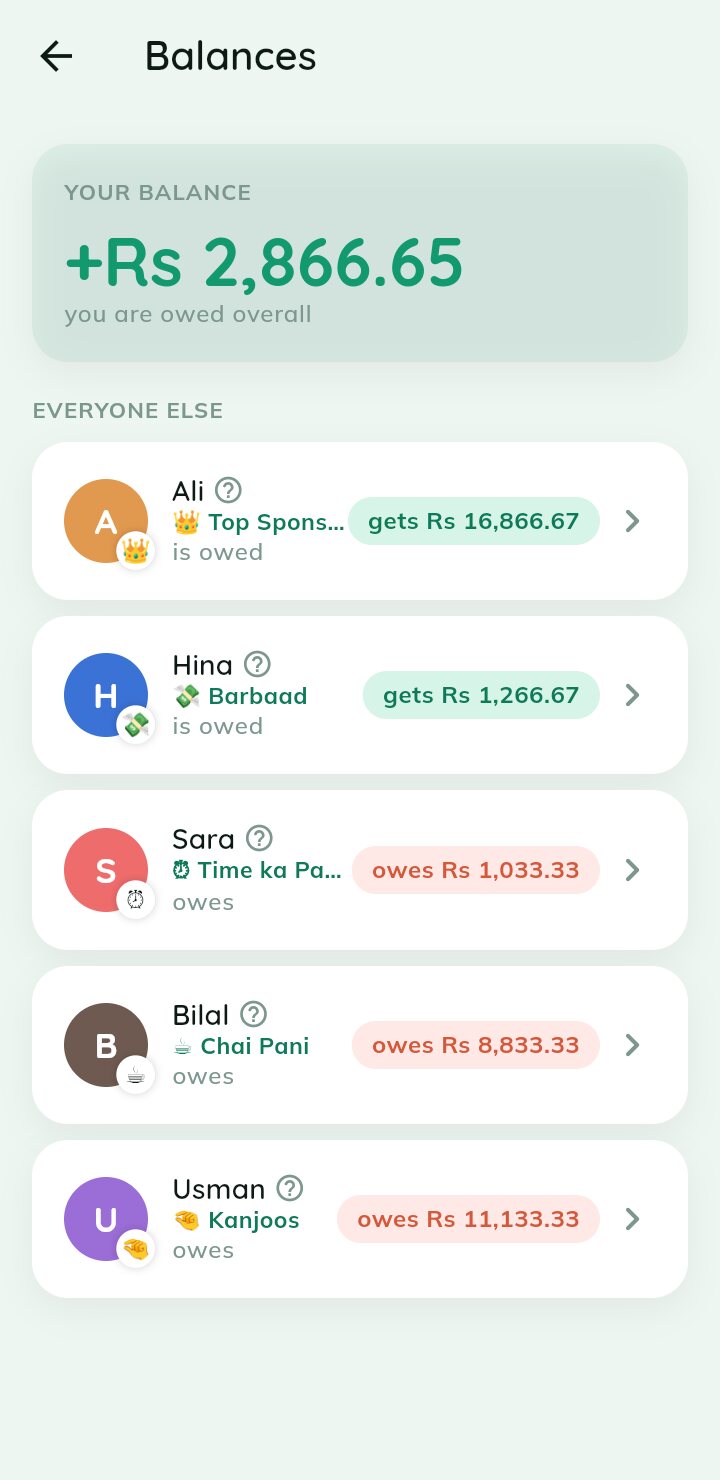
Group balances — Your overall balance, what everyone else owes or gets — and the title each one holds.
Group balances
Your overall balance, what everyone else owes or gets — and the title each one holds.
Member balance — Drill into one person: who owes whom and their spending breakdown.
Member balance
Drill into one person: who owes whom and their spending breakdown.
Safety net

Mistakes happen. Nothing is lost.

See exactly what changes before you delete, restore anything within 30 days, and merge people added twice.
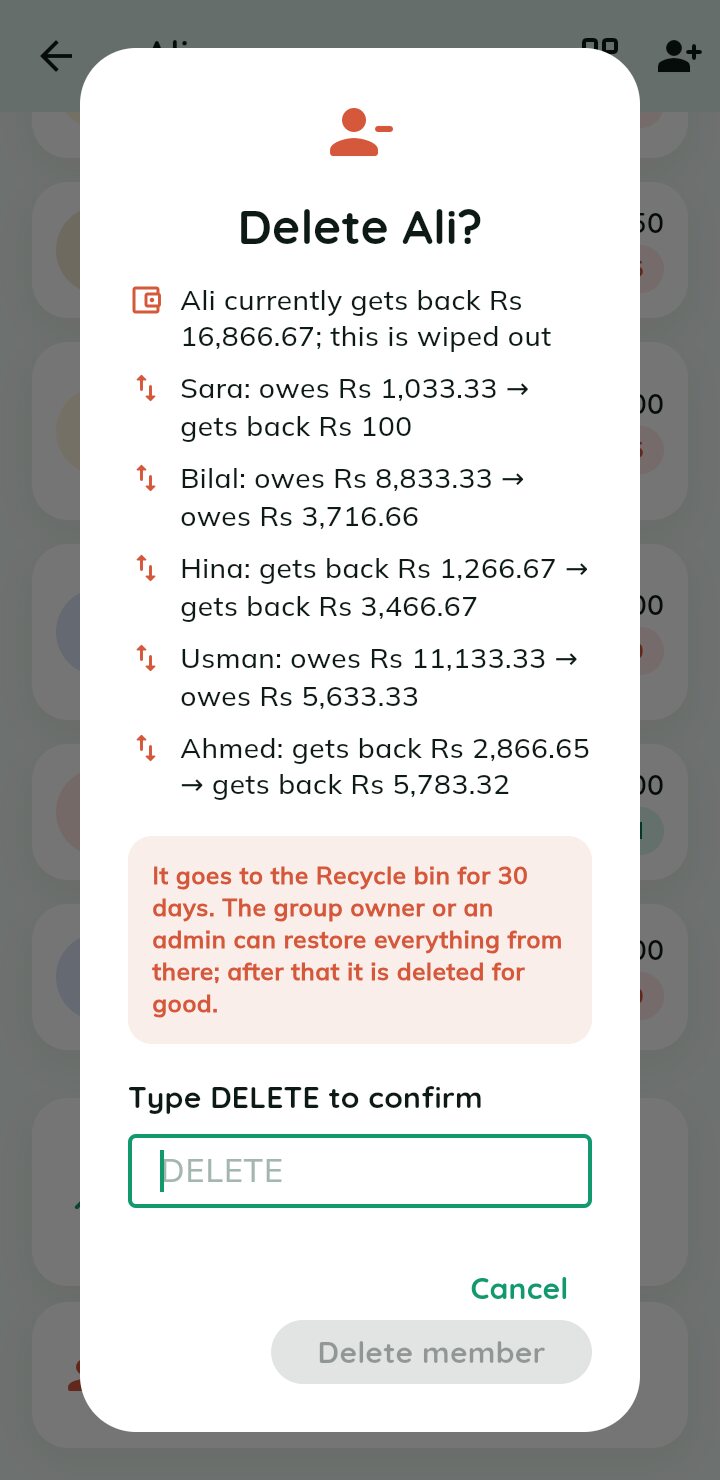
Delete preview — Before a member is removed, see every balance that will change. Type DELETE to confirm.
Delete preview
Before a member is removed, see every balance that will change. Type DELETE to confirm.
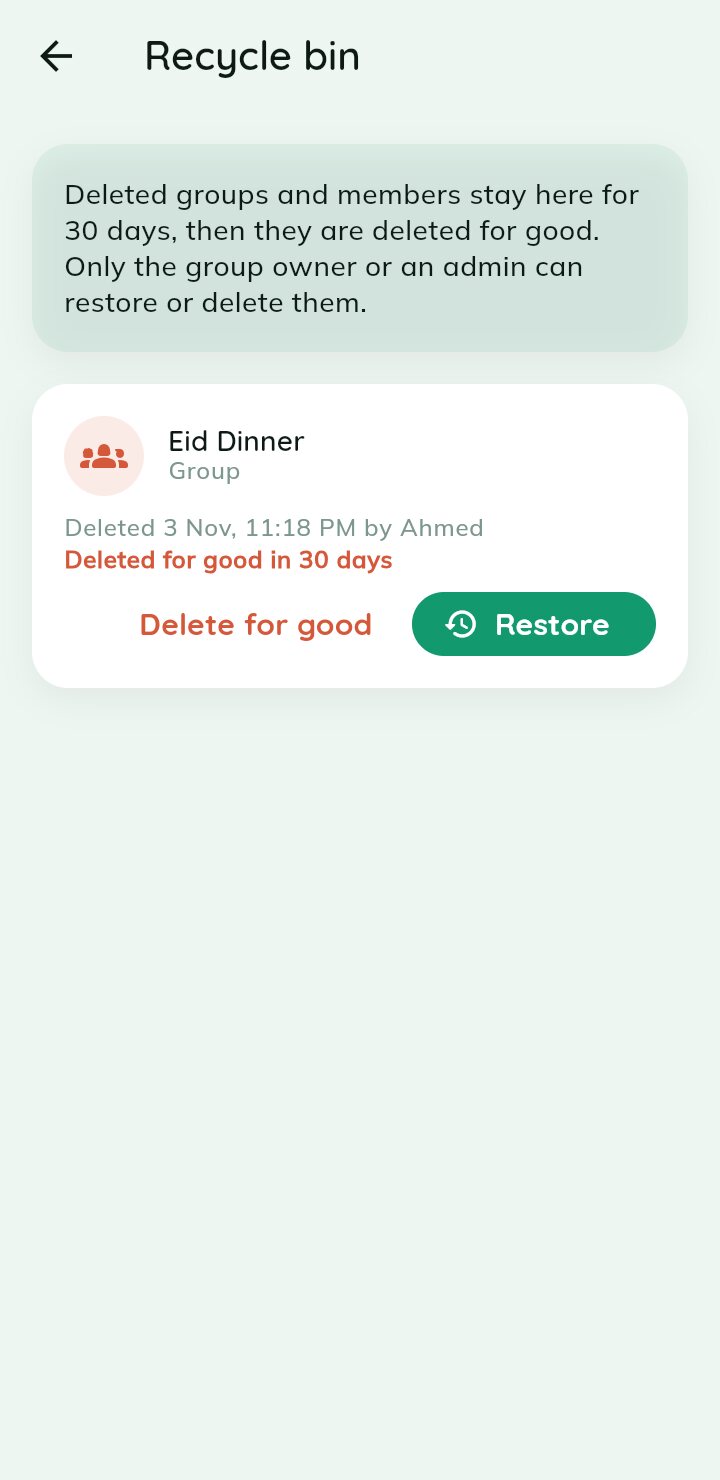
Recycle bin — Deleted groups and members wait 30 days. Restore brings back every expense and settlement.
Recycle bin
Deleted groups and members wait 30 days. Restore brings back every expense and settlement.
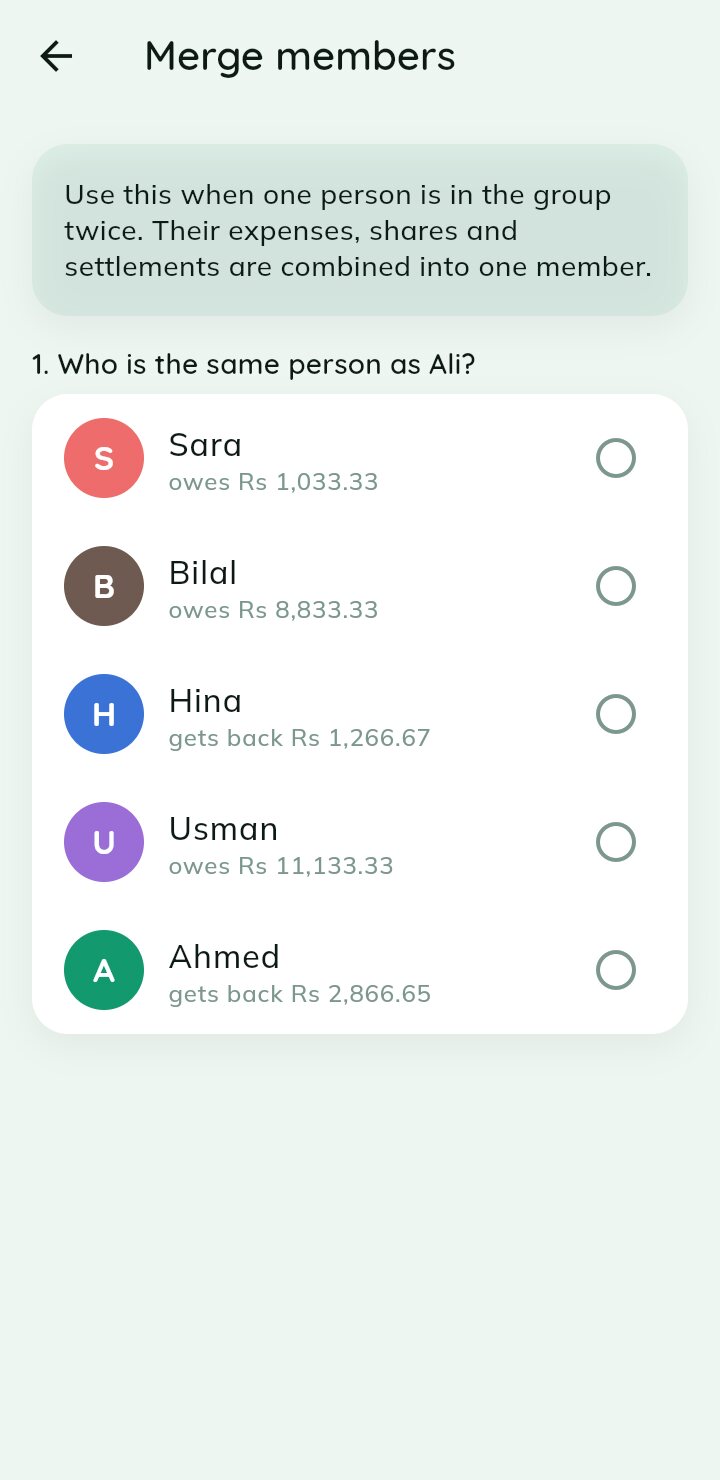
Merge members — Same friend added twice? Combine their expenses, shares and settlements into one.
Merge members
Same friend added twice? Combine their expenses, shares and settlements into one.
Insights

Understand where the money goes

Charts by category, payer and time — for one group or across every group you are in.

Your stats — Owed, owing and overall net across all your groups, with net-by-group bars.
Your stats
Owed, owing and overall net across all your groups, with net-by-group bars.
Spending by category — A colourful donut of where all your money actually went.
Spending by category
A colourful donut of where all your money actually went.
Net by group — Scroll on to see your standing group by group at a glance.
Net by group
Scroll on to see your standing group by group at a glance.
Group insights — Total spend, top payer, averages and this month vs last for one group.
Group insights
Total spend, top payer, averages and this month vs last for one group.
Who paid the most — Category donut plus who-paid and each member's share, ranked.
Who paid the most
Category donut plus who-paid and each member's share, ranked.
Spending insights — The same rich breakdown for every group you are part of.
Spending insights
The same rich breakdown for every group you are part of.
Sharing & settings

Control and share your khata

Fine-tune groups, set permissions and share a read-only link or QR.

Group settings — Rename, recolour, change the icon and currency, and manage members.
Group settings
Rename, recolour, change the icon and currency, and manage members.
Customise your group — Pick a colour and icon, set the group currency and add people.
Customise your group
Pick a colour and icon, set the group currency and add people.
Members & sharing — Manage members, auto-approve joiners and open sharing options.
Members & sharing
Manage members, auto-approve joiners and open sharing options.
Member permissions — Set roles — owner, admin, member or read-only viewer — and fine permissions.
Member permissions
Set roles — owner, admin, member or read-only viewer — and fine permissions.
Share via QR — Create a link or QR, password-protect it and set an expiry.
Share via QR
Create a link or QR, password-protect it and set an expiry.
Copy & share link — A ready read-only khata link and QR to copy, share or revoke.
Copy & share link
A ready read-only khata link and QR to copy, share or revoke.
Notification settings — Choose exactly which email and in-app alerts you receive.
Notification settings
Choose exactly which email and in-app alerts you receive.
Dark mode — Easy on the eyes at night — every screen has a dark theme.
Dark mode
Easy on the eyes at night — every screen has a dark theme.
Ready when you are

Like what you see?

Download Yaar Khata for Android and start splitting expenses with your yaar — free to get going, no card needed.

GET IT ONGoogle Play